Elevations
Elevations simulate depth in the real world by mimicking layered surfaces to express hierarchy within the digital interface. In Occam, they help establish clarity, guide focus, and enhance usability through subtle shifts in surface position. By adjusting elevation levels, we direct attention to essential actions and guide users through the experience. Elevations are carefully curated across interactions and components to maintain clarity, adaptability, and an elegant user experience.
Elevation Scale
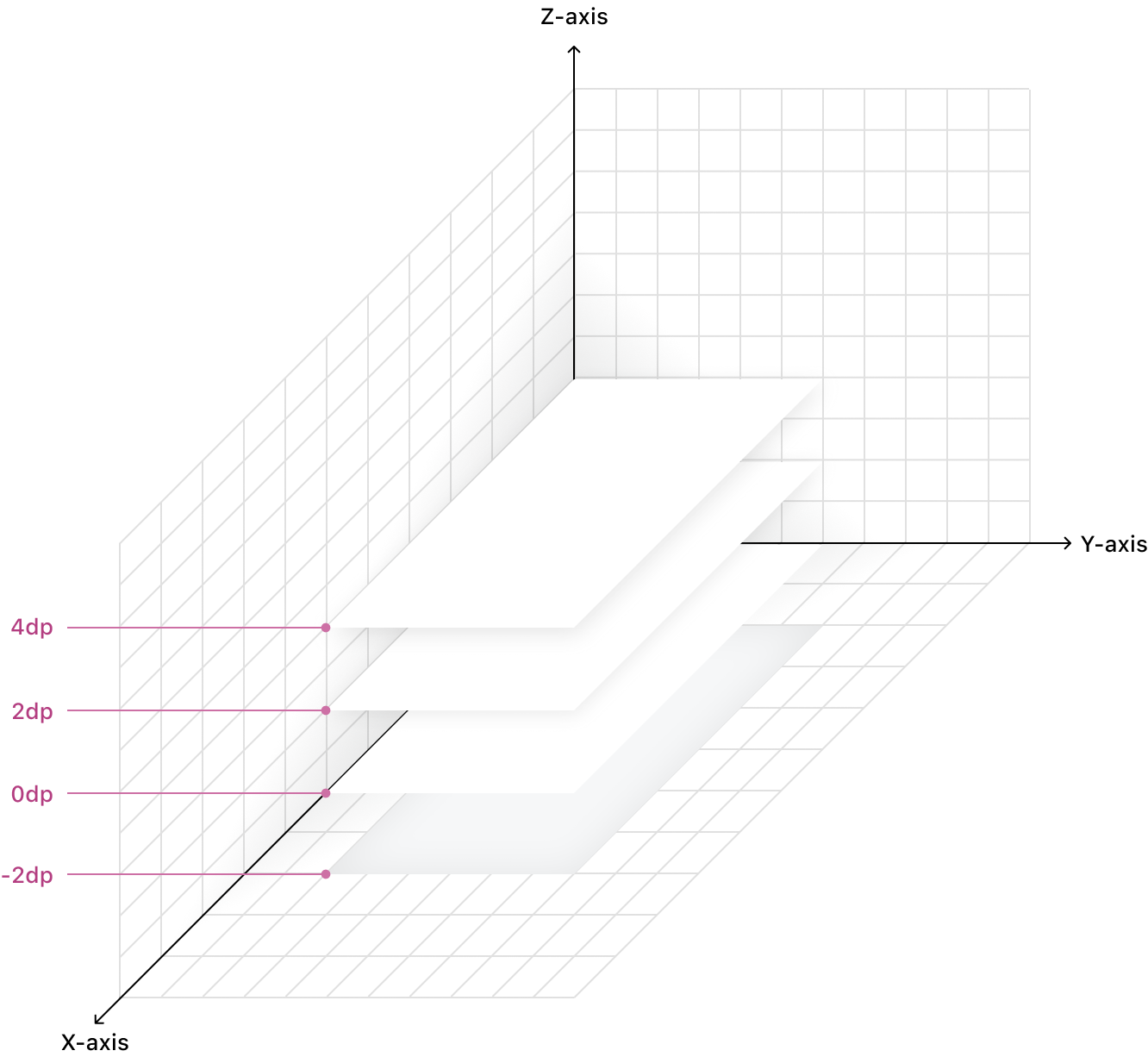
Occam follows a structured elevation system, increasing the Y-axis position by 2dp at each step to create a consistent sense of depth.
-2dp
Elevation
Recessed
Usage
Used for components that sit below the background, such as Preview, creating an inset effect.
0dp
Elevation
Base
Usage
Default background level, ensuring static elements remain flat.
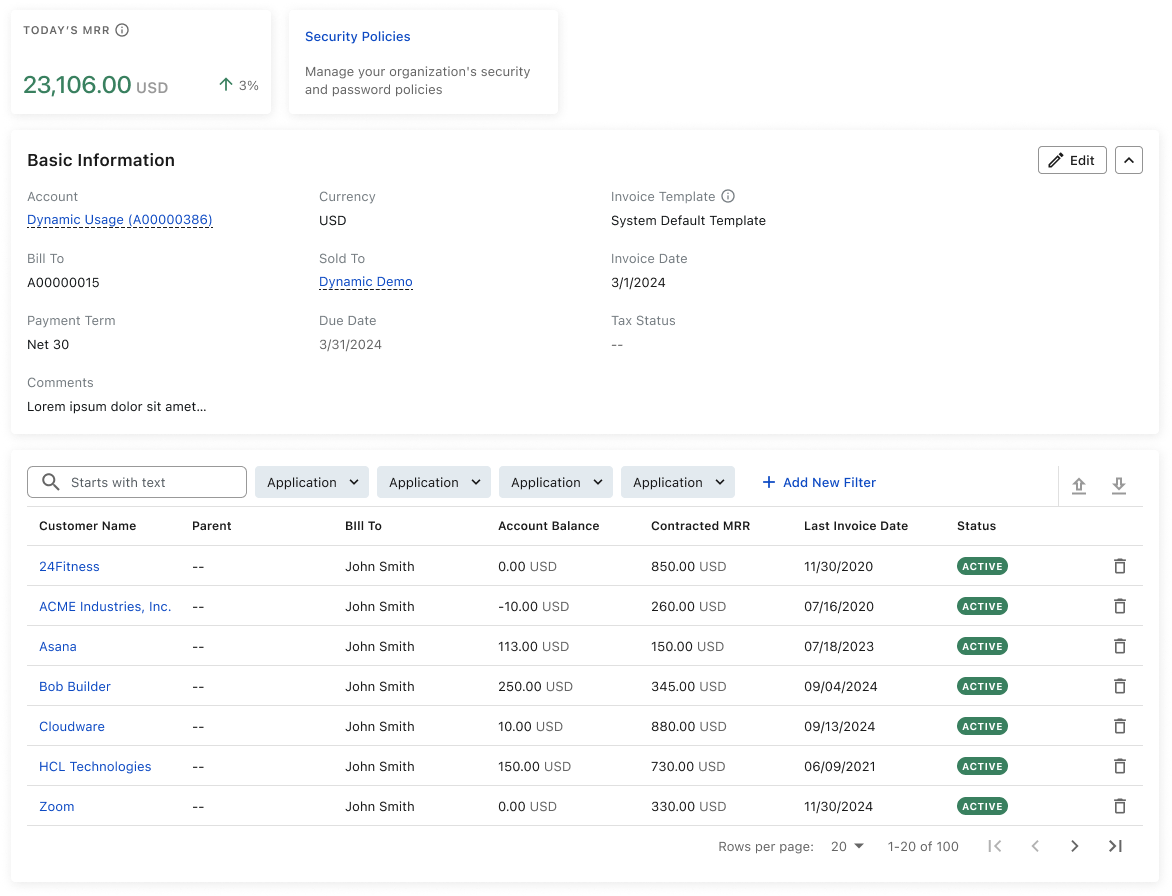
2dp
Elevation
Raised
Usage
Applied to containers like Card, providing subtle emphasis while maintaining balance.
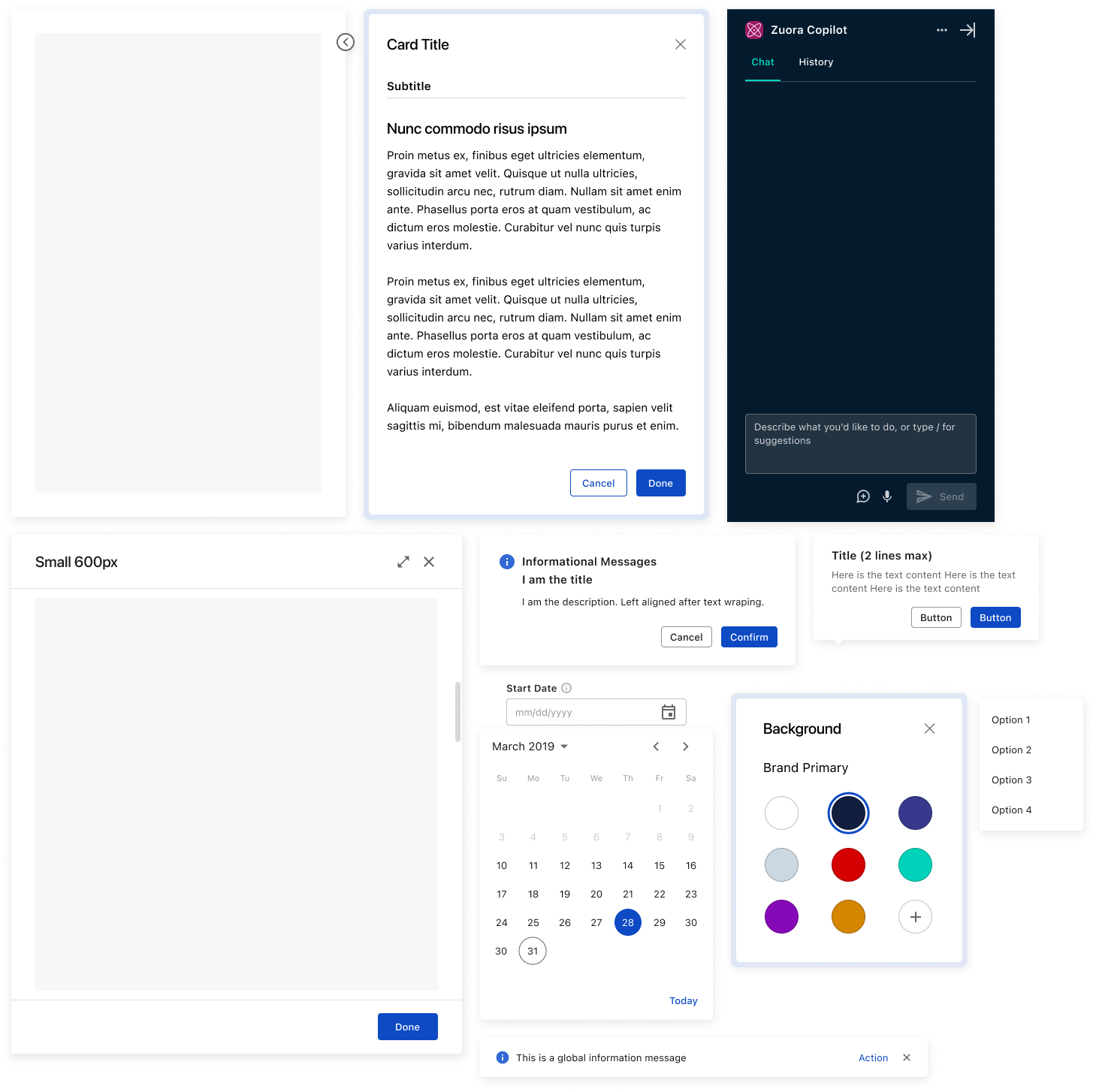
4dp
Elevation
Elevated
Usage
Used for interactive elements requiring prominence, such as Drawers, Popovers, Modals, and Toasts.
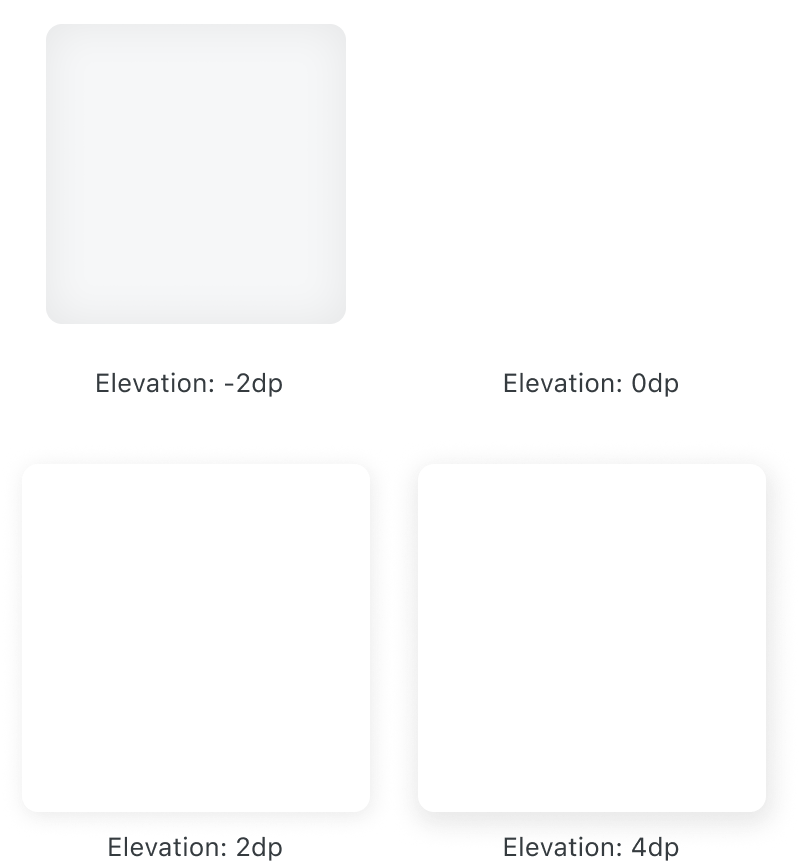
Examples
Elevation: -2dp

Elevation: 2dp
Elevation: 4dp
Best Practices
- Stick to predefined elevation levels to maintain consistency.
- Use recessed elevation (-2dp) for inset components that sit below the background.
- Use elevation along with color, contrast, spacing, and typography to reinforce hierarchy and clarity.
Crafted with ❤️ at Zuora
© 2026 Zuora Inc.
Elevations
Elevations simulate depth in the real world by mimicking layered surfaces to express hierarchy within the digital interface. In Occam, they help establish clarity, guide focus, and enhance usability through subtle shifts in surface position. By adjusting elevation levels, we direct attention to essential actions and guide users through the experience. Elevations are carefully curated across interactions and components to maintain clarity, adaptability, and an elegant user experience.
Elevation Scale
Occam follows a structured elevation system, increasing the Y-axis position by 2dp at each step to create a consistent sense of depth.
Token
Elevation
Usage
-2dp
Recessed
Used for components that sit below the background, such as Preview, creating an inset effect.
0dp
Base
Default background level, ensuring static elements remain flat.
2dp
Raised
Applied to containers like Card, providing subtle emphasis while maintaining balance.
4dp
Elevated
Used for interactive elements requiring prominence, such as Drawers, Popovers, Modals, and Toasts.
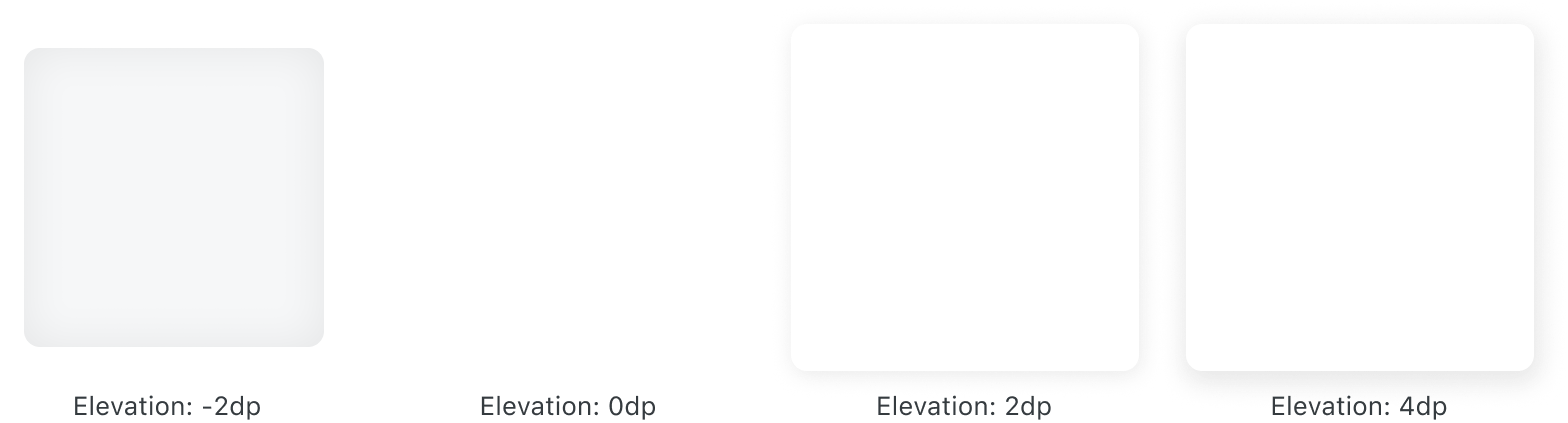
Examples
Elevation: -2dp
Elevation: 2dp
Elevation: 4dp
Best Practices
- Stick to predefined elevation levels to maintain consistency.
- Use recessed elevation (-2dp) for inset components that sit below the background.
- Use elevation along with color, contrast, spacing, and typography to reinforce hierarchy and clarity.
Crafted with ❤️ at Zuora
© 2026 Zuora Inc.
Foundations
Elevations
Elevations simulate depth in the real world by mimicking layered surfaces to express hierarchy within the digital interface. In Occam, they help establish clarity, guide focus, and enhance usability through subtle shifts in surface position. By adjusting elevation levels, we direct attention to essential actions and guide users through the experience. Elevations are carefully curated across interactions and components to maintain clarity, adaptability, and an elegant user experience.
Elevation Scale
Occam follows a structured elevation system, increasing the Y-axis position by 2dp at each step to create a consistent sense of depth.
Token
Elevation
Usage
-2dp
Recessed
Used for components that sit below the background, such as Preview, creating an inset effect.
0dp
Base
Default background level, ensuring static elements remain flat.
2dp
Raised
Applied to containers like Card, providing subtle emphasis while maintaining balance.
4dp
Elevated
Used for interactive elements requiring prominence, such as Drawers, Popovers, Modals, and Toasts.
Examples
Elevation: -2dp
Elevation: 2dp
Elevation: 4dp
Best Practices
- Stick to predefined elevation levels to maintain consistency.
- Use recessed elevation (-2dp) for inset components that sit below the background.
- Use elevation along with color, contrast, spacing, and typography to reinforce hierarchy and clarity.
Crafted with ❤️ at Zuora
© 2026 Zuora Inc.
Foundations
On This Page
Elevations
Elevations simulate depth in the real world by mimicking layered surfaces to express hierarchy within the digital interface. In Occam, they help establish clarity, guide focus, and enhance usability through subtle shifts in surface position. By adjusting elevation levels, we direct attention to essential actions and guide users through the experience. Elevations are carefully curated across interactions and components to maintain clarity, adaptability, and an elegant user experience.
Elevation Scale
Occam follows a structured elevation system, increasing the Y-axis position by 2dp at each step to create a consistent sense of depth.
Token
Elevation
Usage
-2dp
Recessed
Used for components that sit below the background, such as Preview, creating an inset effect.
0dp
Base
Default background level, ensuring static elements remain flat.
2dp
Raised
Applied to containers like Card, providing subtle emphasis while maintaining balance.
4dp
Elevated
Used for interactive elements requiring prominence, such as Drawers, Popovers, Modals, and Toasts.
Examples
Elevation: -2dp
Elevation: 2dp
Elevation: 4dp
Best Practices
- Stick to predefined elevation levels to maintain consistency.
- Use recessed elevation (-2dp) for inset components that sit below the background.
- Use elevation along with color, contrast, spacing, and typography to reinforce hierarchy and clarity.
Crafted with ❤️ at Zuora
© 2026 Zuora Inc.
Foundations
On This Page
Elevations
Elevations simulate depth in the real world by mimicking layered surfaces to express hierarchy within the digital interface. In Occam, they help establish clarity, guide focus, and enhance usability through subtle shifts in surface position. By adjusting elevation levels, we direct attention to essential actions and guide users through the experience. Elevations are carefully curated across interactions and components to maintain clarity, adaptability, and an elegant user experience.
Elevation Scale
Occam follows a structured elevation system, increasing the Y-axis position by 2dp at each step to create a consistent sense of depth.
Token
Elevation
Usage
-2dp
Recessed
Used for components that sit below the background, such as Preview, creating an inset effect.
0dp
Base
Default background level, ensuring static elements remain flat.
2dp
Raised
Applied to containers like Card, providing subtle emphasis while maintaining balance.
4dp
Elevated
Used for interactive elements requiring prominence, such as Drawers, Popovers, Modals, and Toasts.
Examples
Elevation: -2dp
Elevation: 2dp
Elevation: 4dp
Best Practices
- Stick to predefined elevation levels to maintain consistency.
- Use recessed elevation (-2dp) for inset components that sit below the background.
- Use elevation along with color, contrast, spacing, and typography to reinforce hierarchy and clarity.
Crafted with ❤️ at Zuora
© 2026 Zuora Inc.